PDF stands for Portable Document Format. It is a file format created by Adobe in the early 1990s to present documents – text, fonts, images and vector graphics – in the same way regardless of the software, hardware or operating system used to open them. A PDF file holds a complete description of a fixed-layout document, so a page looks the same on every screen and printer. Today PDF is an open ISO standard (ISO 32000) and one of the most common formats for sharing and archiving documents. This article covers its history, how it works, the main types of PDF, and what it is good for.
What Does PDF Stand For?
PDF = Portable Document Format
The name describes its purpose: to make documents “portable”, so they can be exchanged and viewed reliably on different devices and programs. A PDF looks the same on a Windows PC, a Mac, an iPhone or an Android tablet, without needing the original fonts or the application that created it.
Brief History of PDF
- 1991: Adobe co-founder John Warnock writes the “Camelot” paper, proposing a way to view and print documents on any computer.
- 1993: Adobe introduces PDF 1.0 together with the first Acrobat products. Adoption was slow at first: the software to create PDFs had to be bought, early files were large for dial-up modems, and early versions could not link to external web pages.
- 1994: With Acrobat Reader 2.0, Adobe starts giving the reader away for free, which helps PDF spread.
- 2001 and 2005: The first ISO standards for specialised PDF subsets appear: PDF/X for print production (ISO 15930) and PDF/A for long-term archiving (ISO 19005).
- 2008: PDF 1.7 is published as the open international standard ISO 32000-1. The format is no longer controlled by Adobe alone and anyone can implement it.
- 2017: PDF 2.0 (ISO 32000-2) is published, developed within ISO rather than by Adobe. It deprecates weak encryption in favour of AES-256, moves document metadata to XMP, and removes outdated features. A revised edition followed in 2020.
- Today: All major web browsers and operating systems can display PDFs without extra software. Adobe reported in 2023 that more than 400 billion PDFs had been opened in its Acrobat products over the previous year (Adobe).
For the full timeline, see the history of the PDF format.
How Does a PDF Work? (Technical Overview)
A PDF file is not a single image or text file. It is a structured container that can hold:
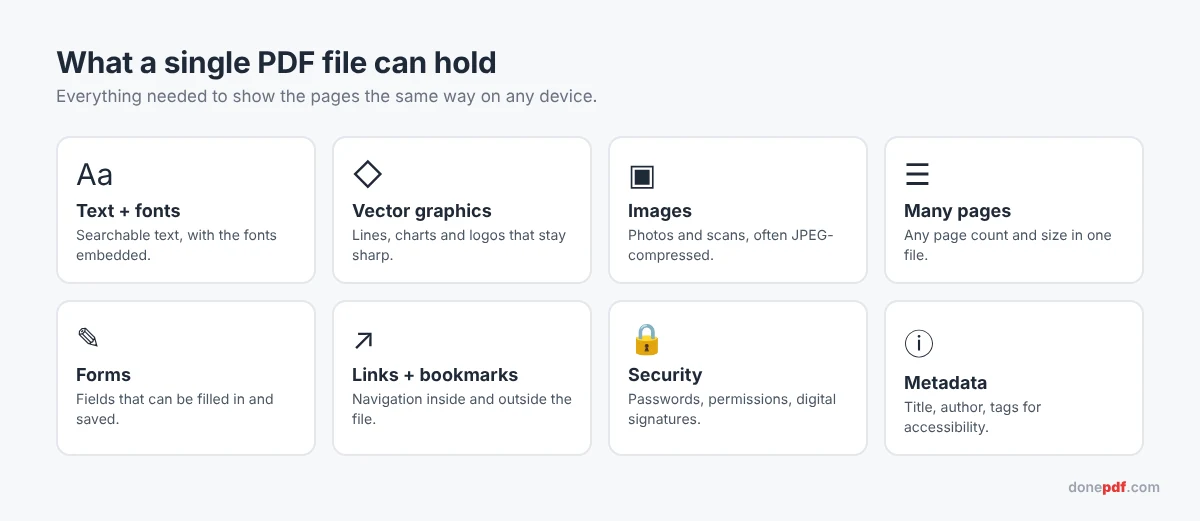
- Text: Stored as characters, not pixels, with precise positioning information.
- Fonts: Complete font files or subsets embedded so the text renders correctly.
- Images: Raster images such as photos and scans.
- Vector graphics: Mathematical paths for lines, shapes and curves that stay sharp at any zoom level.
- Metadata: Title, author, creation date and similar information.
- Interactive elements: Hyperlinks, form fields, bookmarks and annotations.
- Security features: Encryption, passwords and digital signatures.
PDF supports several compression methods, including Flate (the same algorithm used in ZIP), JPEG and JPEG 2000 for photos, and JBIG2 and CCITT for black-and-white scans. A PDF viewer reads these instructions and draws each page exactly as described. If you want to look inside the file structure, read how PDF files work.
Types of PDF Documents
| Type | Description | Text selectable? | Common use |
|---|---|---|---|
| Native PDF (digital) | Created directly from software such as Word, Excel or InDesign. Contains real text, vector graphics and fonts. | Yes | Reports, contracts, e-books, forms. |
| Scanned PDF (image) | Created by scanning paper. Each page is an image with no text layer. | No (until OCR) | Archived paperwork, old books, handwritten notes. |
| Searchable PDF (OCR) | A scanned PDF with an invisible text layer added by OCR. It looks like the scan, but the text can be searched and copied. | Yes (after OCR) | Legal documents, medical records, digitised archives. |
| PDF/A (archival) | An ISO 19005 subset for long-term preservation. All fonts must be embedded; encryption, JavaScript, audio/video and external content are not allowed. | Yes | Libraries, courts, government archives. |
| PDF/X (print) | An ISO 15930 subset for print production, with rules for colour management, fonts and page boxes such as bleed. | Yes | Brochures, flyers, magazines. |
A scanned PDF can be made searchable with OCR, and an ordinary PDF can be converted to PDF/A for archiving.
Key Characteristics of PDF Files
- Fixed layout: The document looks the same on any device. Text does not reflow the way it does in HTML or Word.
- Self-contained: Fonts, images and metadata can all be embedded inside the file.
- Compressed: Built-in compression keeps text-heavy documents small.
- Secure: Supports passwords, permissions, digital signatures and redaction.
- Interactive: Can contain forms, hyperlinks, bookmarks and annotations.
- Accessible: Tagged PDFs can be read by screen readers; PDF/UA (ISO 14289) defines the accessibility requirements.
Advantages of Using PDF
- Wide compatibility: Opens on almost any device with a free reader or a web browser.
- Preserves formatting: Fonts, margins and page breaks do not shift.
- Long-term archiving: PDF/A is designed to keep documents readable for decades.
- Security: Password protection, digital signatures and redaction.
- Multi-page support: Hundreds or thousands of pages fit in one file.
- Vector graphics: Logos and diagrams stay sharp when zoomed or printed.
- Searchable text: Native PDFs, and scanned PDFs after OCR, can be searched.
Common Uses of PDF Files
Business & Legal
Contracts, NDAs, invoices, purchase orders, financial reports.
Education
E-books, lecture slides, research papers, theses, handouts.
Government
Tax forms, court filings, public records, permits.
Design & Print
Brochures, flyers, posters and magazines, often sent to printers as PDF/X.
Personal
Scanned receipts, resumes, e-tickets, manuals.
Working with PDF Files
- Create: Most office programs can export to PDF (File > Save As or Export), and on Windows, macOS, iOS and Android you can usually print any document to PDF. To convert a Word file to PDF online, DonePDF processes it on its server and deletes the file right after processing, never later than one hour.
- Open: Every major browser (Chrome, Edge, Firefox, Safari) has a built-in PDF viewer, and macOS includes Preview. Adobe Acrobat Reader is free but not required.
- Edit: PDFs are not meant for heavy editing, but you can add text, images or annotations in the browser. Scanned pages need OCR first.
- Reduce size: To send a large file by email, compress the PDF. This runs in your browser, so the file does not leave your device.
- Protect: PDF supports an open password (needed to view the file) and a permissions password (restricts printing, copying or editing). Modern PDF encryption uses AES with 128-bit or 256-bit keys.
If something goes wrong – text you cannot select, a file that will not open, pages that print with the wrong margins – see these common PDF problems and fixes.
Conclusion
A PDF is more than an image or a text file. It is a self-contained container that keeps layout, fonts and interactive features intact across devices. Since becoming an ISO standard in 2008, it has been the default format for contracts, invoices, e-books, forms and archived records. Knowing the difference between native, scanned, and archival PDFs makes it easier to choose the right file for the job.
Frequently Asked Questions
How can I open a PDF file without Adobe Acrobat?
You do not need Adobe Acrobat. Microsoft Edge is the default PDF viewer on Windows, Mac computers include Preview, iPhones and iPads open PDFs in the Files app or Safari, and Chrome and Firefox display PDFs on any operating system. Free desktop readers such as SumatraPDF and Foxit PDF Reader are also available.
What is PDF/A and how is it different from regular PDF?
PDF/A (ISO 19005) is a version of PDF for long-term archiving. It requires all fonts to be embedded and does not allow encryption, JavaScript, audio, video or references to external content, so the file can be displayed the same way years later without outside resources. The first part, PDF/A-1, also forbids transparency and layers; PDF/A-2 and later allow them. Use PDF/A for archives and official submissions that ask for it, and regular PDF for everyday documents.
How do I unlock a password-protected PDF?
If you know the password, use Unlock PDF to save a copy without it. If you have forgotten the password needed to open the file, it usually cannot be recovered, especially with modern AES encryption, so keep an unprotected backup of important documents.
Can I convert a PDF to Microsoft Word for free?
Yes. Convert PDF to Word is free, needs no sign-up and adds no watermark. The conversion runs on DonePDF's server, and the file is deleted right after processing, never later than one hour. It works best with native PDFs; scanned PDFs need OCR to produce editable text. Complex layouts may need some manual cleanup in Word.
What is the difference between PDF and Word (DOCX)?
PDF is a fixed-layout format for final sharing, printing and archiving: it looks the same everywhere and is not meant for heavy editing. DOCX is Microsoft Word's editable format, where text reflows as you write. Draft in Word and convert to PDF for the final version. See PDF vs Word for a detailed comparison.
How do I sign a PDF?
You can place a signature on a PDF with Sign PDF. A signature image like this is an electronic signature and is fine for many everyday approvals. A certificate-based digital signature is different: it uses a digital ID to prove who signed and to show whether the file was changed afterwards. Some contracts and official documents require that kind of signature.